.svg)
Rovo Skills allow you to reuse Booking App capabilities inside custom Rovo Agents created with Atlassian Studio.
This article explains what Rovo Skills are, how they work, and what each available skill does.
What Are Rovo Skills?
Rovo Skills are reusable actions that extend the capabilities of a Rovo Agent.
The Booking App provides predefined skills that can be added to custom Rovo Agents. These skills allow agents to interact with booking data and perform booking-related operations.
How Rovo Skills Work
Rovo Skills are added to a custom Rovo Agent from Atlassian Studio.
To use them:
-
Open your custom Rovo Agent in Atlassian Studio.
-
Go to the scenario configuration (for example, the default scenario).
-
Select skills from the skills library.
-
Add the required Booking App skills to the agent.
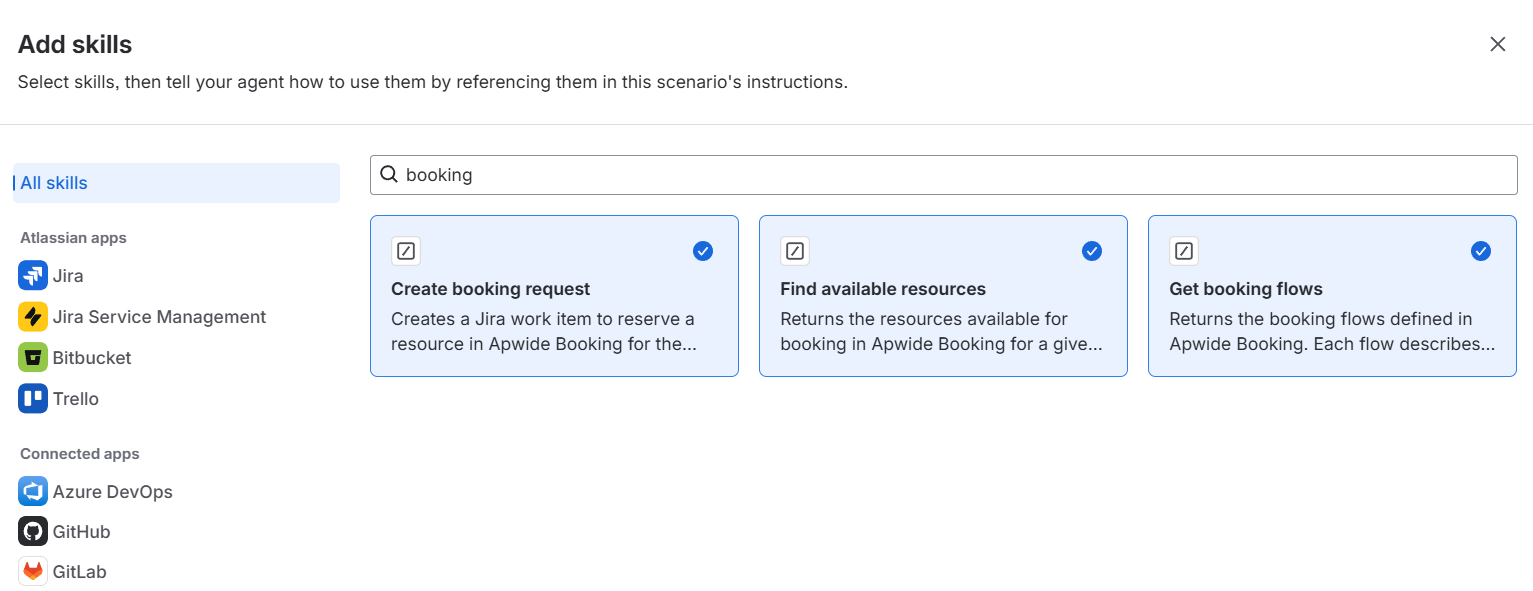
Once added, the agent can use these skills when interacting with users.
For example, a Rovo Agent used in a Jira Service Management portal can create booking requests or suggest available resources based on user input.
Available Booking App Rovo Skills
The Booking App provides the following skills:
Create booking request
Creates a Jira work item to request a booking for a resource.
Use this skill when you want users to submit booking requests directly through a Rovo Agent, such as from a Jira Service Management portal.
Find available resources
Returns a list of resources available for booking based on given criteria.
Use this skill to help users identify available resources before creating a booking request.
Get booking flows
Returns the booking flows defined in the Booking App.
Each booking flow represents a type of resource or booking process.
Use this skill when the agent needs to understand or present available booking options.
When to Use Rovo Skills
Use Rovo Skills when you need more flexibility than the Booking Clerk.
The Booking Clerk already uses the same underlying skills, but Rovo Skills allow you to customize how those capabilities are exposed and used.
Use Rovo Skills when you need to:
-
Customize the agent behavior, such as language, tone and voice, interaction style
-
Adapt the booking experience to specific use cases or audiences
-
Make the agent available in environments where the Booking Clerk is not supported, such as the Jira Service Management portal
-
Reuse Booking App capabilities in custom Rovo Agents